
Kingdom Rush 6 Genesis TD Genesis TD Tools
Requirements, star columns, and a planner for the four upgrade families.
Tools on this wiki are for decisions you make between waves: can my PC run the build, and where do the next stars go? They are not damage calculators pretending to have leaked spreadsheets.
- System requirements — Steam’s Windows and macOS lines, plus mobile common sense.
- Upgrade planner — global tower families are back after Devlog #28; heroes and spells keep personal trees.
If you want tactics, you want Guides. If you want letters, you want Tier lists. This hub is the boring sheet that keeps those pages honest.
What the Upgrades panel actually is
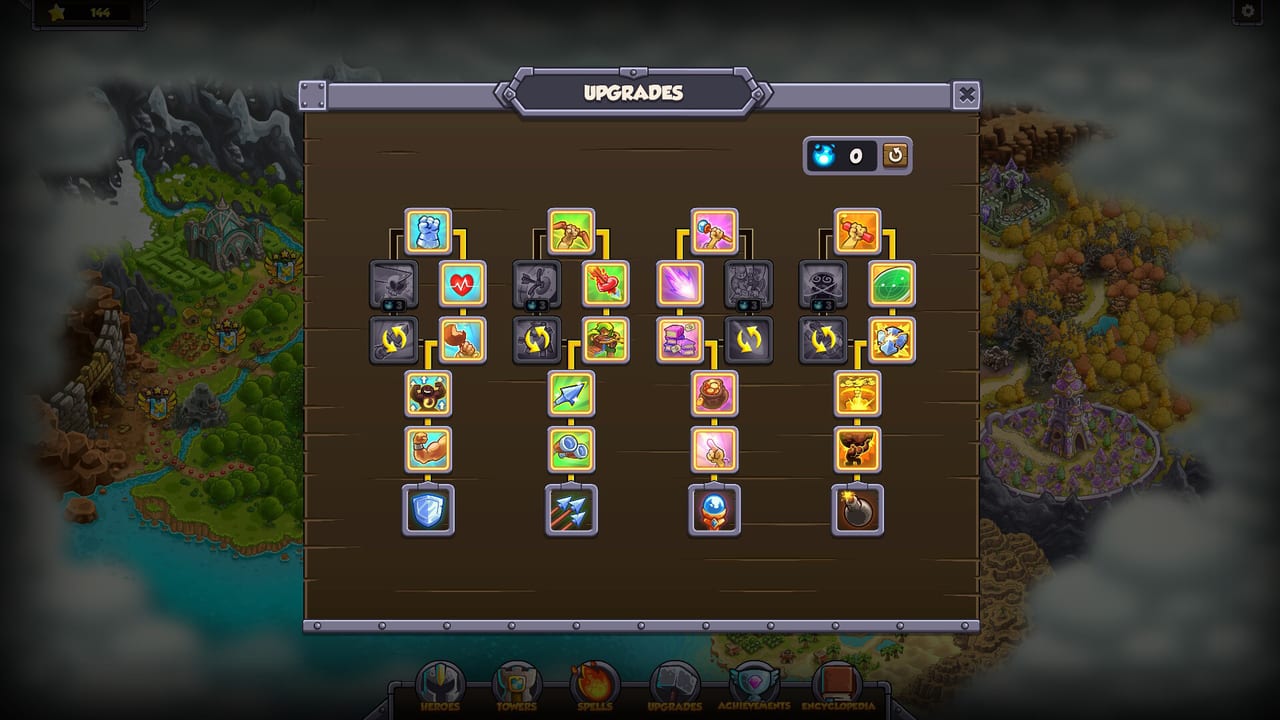
Steam screenshots show a wooden UPGRADES board with four vertical columns of icons, a star/currency pip, and the world map behind it. That is the global star sheet from every Kingdom Rush game, restyled. Beside it, the Heroes, Towers, and Spells tabs hold personal trees. Genesis’s “revamped upgrade system” is those personal trees plus the right to retune between stages — not a live-service battle pass.
The planner page tells you which global column to open first (usually a mix, never one family to the floor). It will not invent node names Ironhide has not shown.
What this hub will not ship
- A fake DPS spreadsheet.
- A gacha pity timer. There is no gacha.
- A codes generator. There are no daily strings.
- An online party finder. The game is single-player.
Launch-day bag
- Confirm the device against system requirements.
- Wishlist or pre-order via Links.
- Sketch a five-tower Iron kit on paper using the tower list.
- Spend the first stars with the upgrade planner.
- Play Getting Started before you min-max.
After 24 September 2026, if Ironhide exposes exact node values, this hub can grow a table. Until then, the tool is a priority order, not a calculator pretending to be a leak.
How to use the two tools together
Start on system requirements if you have not installed anything. A dual-core Windows 10 box with 4 GB RAM meets Steam’s published minimum. A 2011 netbook does not become eligible because you really want dual heroes. macOS needs 10.13, OpenGL 3.0, and either Apple Silicon or an Intel Core M class chip. Mobile needs a screen you can tap portraits on; see Controls before you blame the roster.
Once the game runs, open the upgrade planner after every three-star, not after every leak. Leaks are usually a job missing on the dirt — tower tier list — not a missing star. Stars are for the next map. Gold is for this map. If you stall a Veteran run to daydream about the board, you will fail the wave that is already walking.
A pre-launch notebook
Write four lines on paper before 24 September 2026:
- Device and OS you will actually use.
- Five tower names for a default Iron kit.
- Anchor and Rover names (Gerald and Zefira until you know better).
- Three spells you will not fidget with.
That notebook is the tool. This hub just stops you from replacing it with a fake spreadsheet or a codes hunt. When Ironhide publishes exact node values, we will transcribe them. We will not invent them the week before launch so the page looks “complete.”
Related reading
Getting Started for gold. Two-hero system for portraits. Launch news for the calendar. Come back here when you have stars burning a hole in the wooden board.
Frequently Asked Questions
Quick answers to the most common Kingdom Rush 6: Genesis TD questions.
Is there an official Genesis calculator?
No. Use the upgrade planner for star priority and the tier lists for jobs.
Do I need a high-end PC?
Steam's minimum is a dual-core CPU and 4 GB RAM on Windows 10. Read the system requirements page.
Are stars the same as gold?
No. Gold is in-stage. Stars are campaign currency for the global board and unlocks.